Retail Inventory Management Software for Pakistani Retail Stores
A customer asks for a particular phone charger, a shirt in size 40, or a half-inch fitting. Someone checks the shelf, then the back room, then a notebook, and the answer is still partly a guess. Stock records that fall behind sales are a quiet, everyday problem in shops across Pakistan, and they get harder to ignore once a second storage room or branch appears.
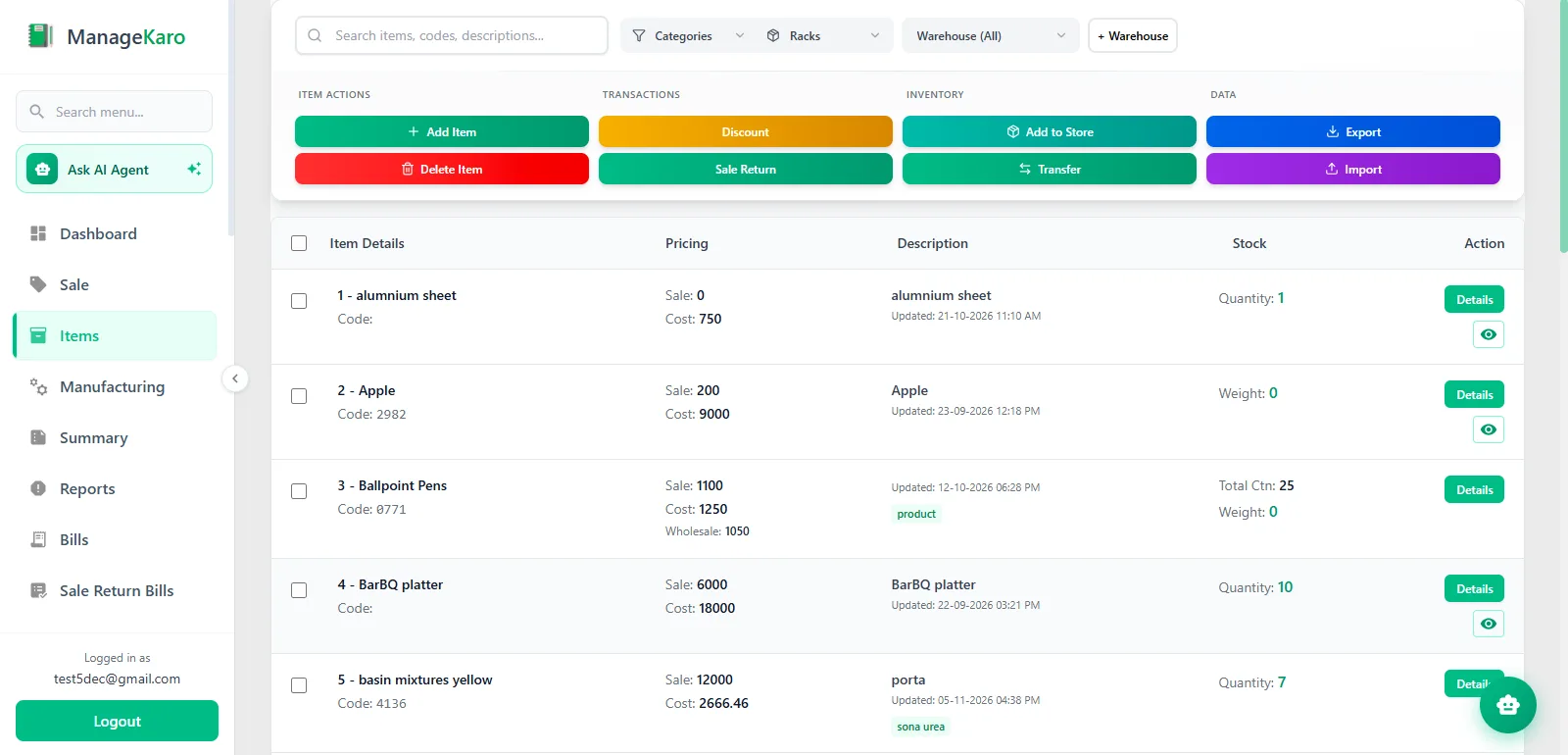
Retail inventory management software keeps product records, quantities, and storage locations in one place and ties them to what you sell. ManageKaro is a cloud-based business management system built for Pakistani retailers, wholesalers, and distributors. Its inventory module lets you organize products by warehouse, rack, and sub-rack, record stock transfers between warehouses, and keep stock connected with your POS sales.
Common Inventory Management Challenges Faced by Retail Stores
Few shops have every one of these problems. A single-counter store usually feels the first two. The rest tend to appear as the business adds staff, storage space, or a second location.
01
Stock records that drift from the shelf
A general store might ring up dozens of items on a busy Saturday. If the stock register is updated on Monday, some sales get skipped and a few get written twice. After a few weeks the notebook says 24 units of a product and the shelf holds 17.
02
Quantities that are hard to check
When a customer asks whether you have an item, the honest answer sometimes requires a walk to the godown (the storage warehouse) or a phone call to another branch. The customer waits, or leaves.
03
Storage that only one person understands
A hardware or spare parts shop can carry hundreds of small items. If the only person who knows where everything sits is off that day, finding a product becomes a search.
04
Stock split across locations
Once stock is divided between a shop, a godown, and perhaps a branch, the total quantity matters less than the quantity at each place. A product can be overstocked in one location and sold out in another.
05
Billing first, stock update later
Staff who bill at the counter and then update a register or spreadsheet are doing the same job twice. The second entry is usually the one that gets skipped.
How Retail Inventory Management Software Works
The software replaces the notebook with a shared record that changes as stock moves. In practice, the workflow has five parts:
120Main godown
−4Sold
−20Transferred
96Main godown
20Second location
Here is how that plays out. A mobile accessories store holds 120 phone cases in its main godown. Four are sold at the counter, and 20 are sent to a second location. If both movements are recorded, the main godown should show 96 and the second location 20. The totals match the shelves because each movement was written down once, at the time it happened.
That last condition matters. Software keeps the record, but it can't count stock nobody entered. Regular physical counts are still worth doing. The difference is that you have an organized record to compare them against.
01
Record your products. Each item gets its own record, so everyone uses the same names and the same catalog.
02
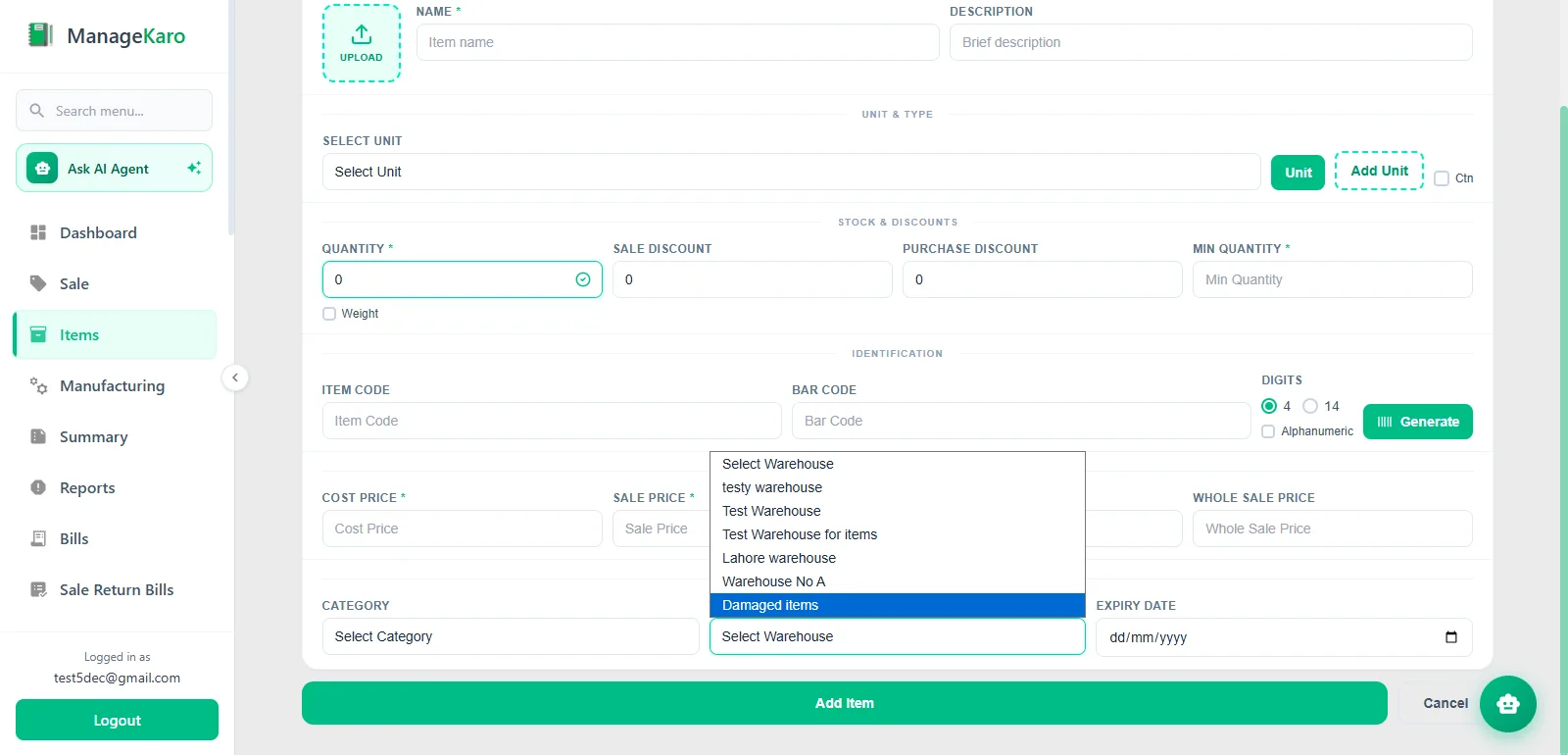
Assign stock to locations. Quantities are held against a warehouse and, where you use them, a rack or sub-rack.
03
Check quantities. Staff look up what is recorded instead of counting by eye or calling around.
04
Record movements. Sales through POS reduce stock. Transfers move stock from one warehouse to another.
05
Review the position. The owner checks quantities by location and notices where something looks wrong.
Manage Retail Stock Across Shops and Warehouses
Many Pakistani retailers keep fast-moving items near the counter and the bulk of their stock somewhere else, such as a storeroom upstairs, a rented godown, or a second shop. Knowing where each product sits matters as much as knowing how many you own.
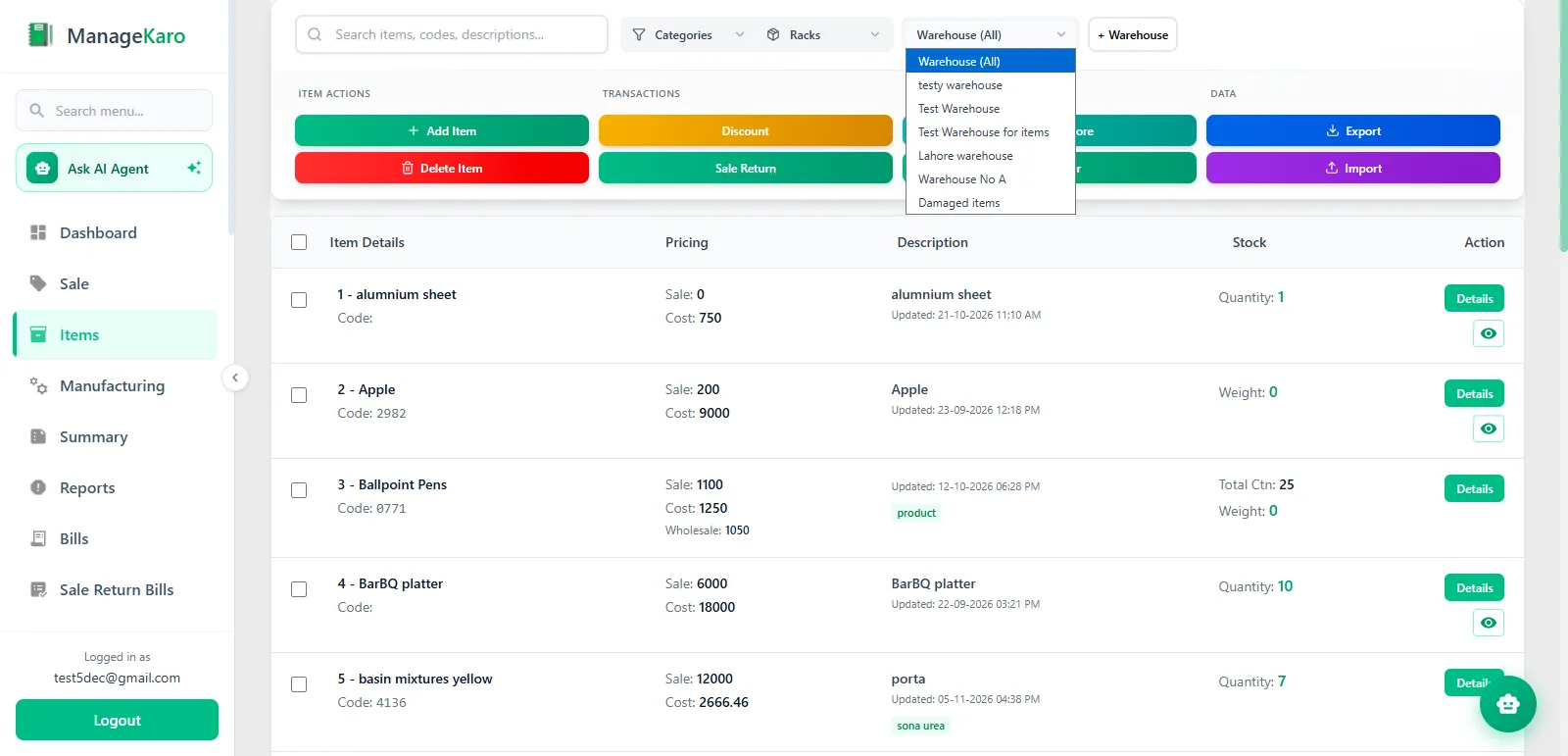
ManageKaro's inventory module supports stock across multiple warehouses and branches, so quantities are shown by location. A grocery owner can see what is on hand in the main godown before sending a restock to the shop. A clothing retailer with two branches can check which one holds the remaining stock of a popular style before telling a customer it's unavailable.
One practical point: ManageKaro records stock by warehouse, so if you want to track a shop floor and a back room separately, set them up as separate locations. During the trial, test your own layout. A quick setup of two or three real locations will show you whether the structure fits how your staff already work. Details are on the inventory module page.
Connect Retail POS Sales With Inventory Management
Every sale changes stock. When billing and inventory are separate, someone has to carry that change from one to the other, and mistakes creep in at that handoff.
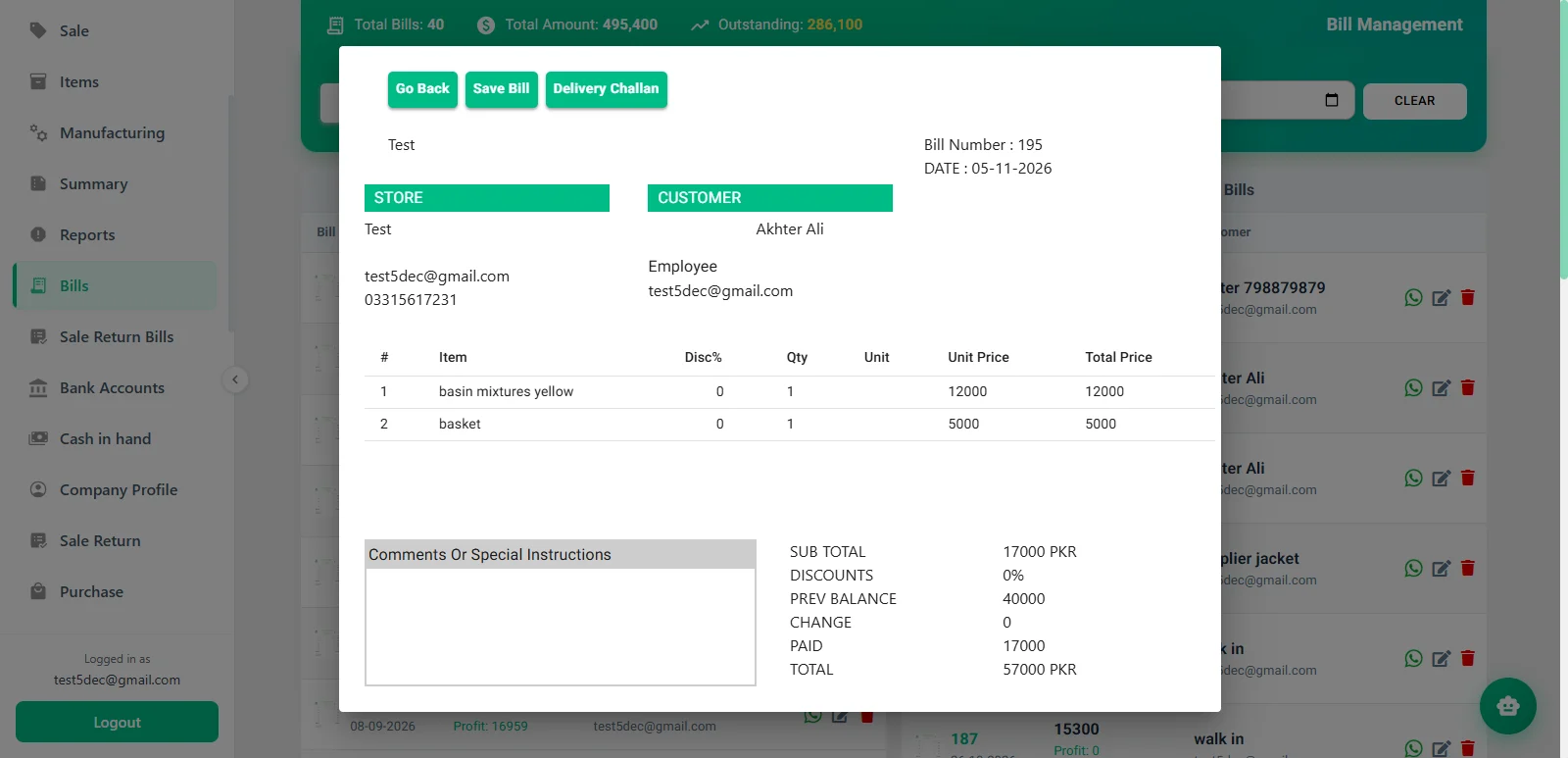
ManageKaro connects its POS and inventory modules, so a sale recorded at the counter updates the recorded quantity for that product. Staff bill once and the stock record moves with it. The POS also supports product search and barcode-based workflows. If you plan to buy scanners, check hardware compatibility with the team first.
Organize Retail Products by Warehouse, Rack, and Location
Quantity tells you how much you have. Location tells you where to find it. ManageKaro lets you organize inventory by warehouse, rack, and sub-rack, so a product's place in storage is part of its record.
Consider a hardware shop with a godown behind the store. Fittings might live on Rack B, with each pipe size on its own sub-rack. When a customer asks for a three-quarter-inch elbow joint, any employee can find where it should be instead of asking the owner. An electronics accessories retailer could do the same with cables on one rack, chargers on another, and cases on a third.
The structure is only as useful as the habits behind it. Returning items to their assigned place and recording changes keeps the system matching the room. Start with your fastest-selling products and extend the setup from there.
Manage Stock Transfers Between Retail Locations
Stock moves for ordinary reasons. A branch runs low, the main godown receives a large delivery, or a seasonal product needs to sit closer to the counter. When that movement happens by word of mouth, each location's count quietly goes out of date.
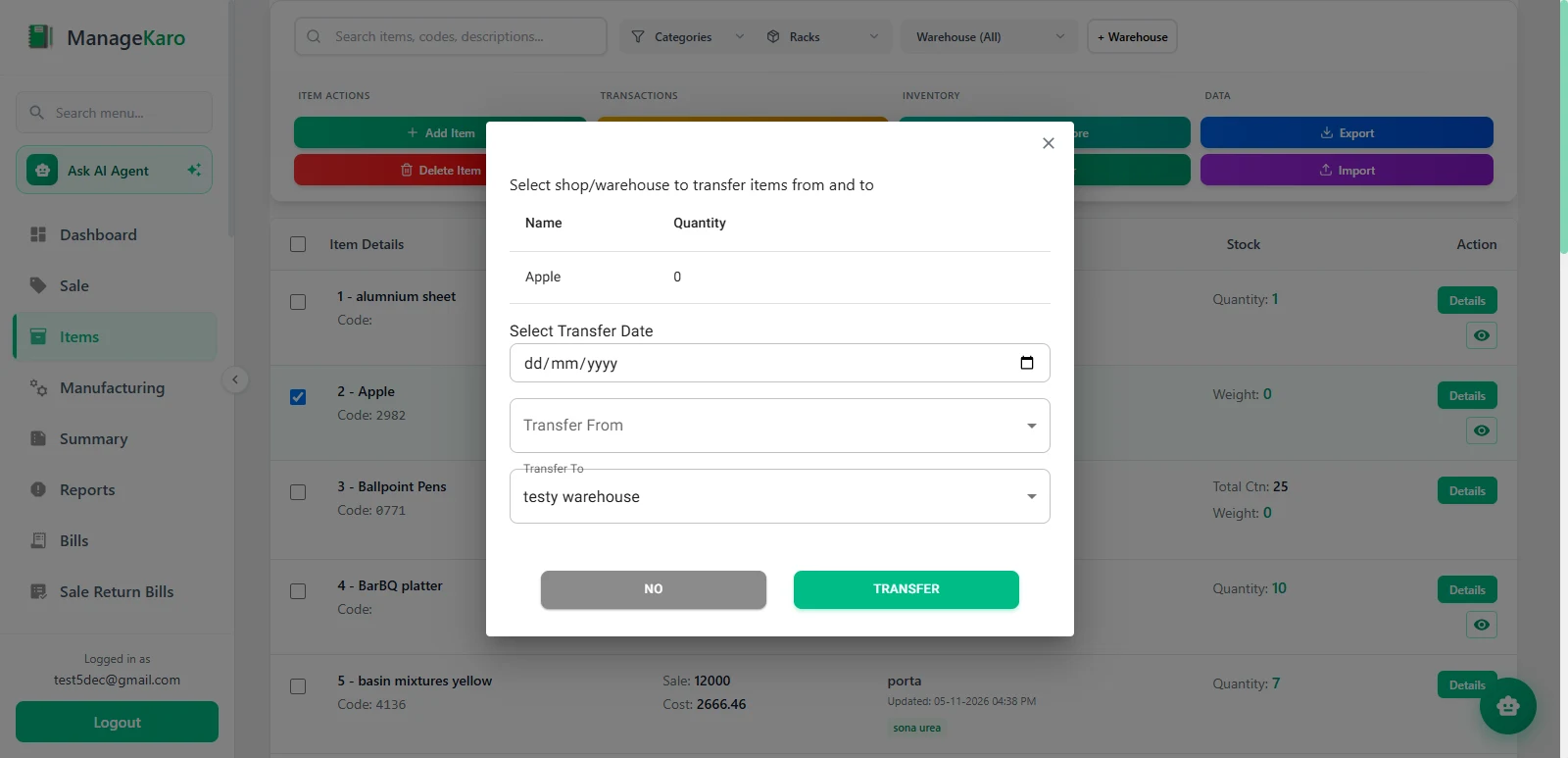
ManageKaro supports stock transfers between warehouses. A transfer record shows which product moved, where it left, and where it arrived, so both locations' quantities change together. For a retailer with a shop and a godown, that gives the owner something to check when the shelves and the records disagree. It also helps staff answer a simple question: did this stock leave, or was it never there?
Retail Inventory Management Software for Small Businesses
Small retail business inventory software doesn't need to be complicated. Most owners need four things:
one place for product records
quantities they can check quickly
less reliance on scattered notebooks and spreadsheets
stock that stays connected to sales
ManageKaro fits that kind of setup. A single shop can start with products and POS-connected stock. Warehouses, racks, and transfers become relevant when a storeroom, godown, or second branch appears. That makes it practical for a retailer who expects to grow, because the structure is available without starting from scratch later.
Retail Inventory Software for Different Types of Retail Stores
The core workflow is the same across retail, but each type of shop leans on it differently.
Grocery and general stores
These shops handle many products and fast turnover. Keeping the counter and storeroom quantities visible helps when deliveries arrive often. If you sell items with expiry dates, ask the ManageKaro team how expiry should be handled before you rely on it.
Clothing and garments shops
Stock is often divided by style, size, and color, which multiplies the number of items to track. Decide how you want to list those variations and test that setup during the trial. Multiple branches make location-wise quantities especially useful.
Electronics and mobile accessories stores
Large numbers of small, similar items are easy to misplace. Rack and sub-rack organization helps staff find cables, cases, and chargers quickly. If you need serial-number tracking for phones or devices, confirm with the team whether it fits your process.
Hardware and spare parts retailers
These businesses often carry the widest range of small items and rely most on knowing where each one is stored. Warehouse, rack, and sub-rack structure suits this type of storage. For the counter, see our billing software for hardware stores. Our spare parts shop software page shows how a parts counter uses it. For batch or warranty traceability, check whether it fits your requirements.
Retail Inventory Management Software vs. Manual Stock Records
Manual records and software each have a place. The differences show up as the business gets busier.
What you're comparing
Manual stock records
Connected inventory software
Product records
Names can vary between pages, staff, and books
One catalog of product records
Checking quantities
Look through the register or count the shelf
Look up recorded quantities
Stock by location
Separate pages or sheets per location
Quantities shown by warehouse
Stock movement
Written by hand, sometimes later
Transfers recorded in the system
Link to sales
Billing and stock updated separately
POS sales update stock records
Access
Wherever the notebook or file is
Cloud-based, so available from where you log in
Manual records can be accurate when one careful person keeps them. Software doesn't remove errors on its own, because a sale or transfer that nobody records still won't appear. What it changes is how many steps stand between a stock movement and its record.
What to Look for in Retail Inventory Management Software
These are general selection criteria, not claims about any one product. The inventory software buying guide covers comparisons in more depth.
Product tracking: Can you keep clean product records and see quantities easily?
Warehouse organization: Does it handle the number of locations you actually have, and storage detail like racks?
Stock transfers: Can you record movement between locations?
POS compatibility: Does a sale update stock without a second entry?
Ease of use: Can your counter staff learn it without a long training period?
Business fit: Does it cover what your type of store needs, such as expiry, serial numbers, or sizes? Ask directly rather than assuming.
Pricing transparency: Are plans, currency, and trial terms stated clearly?
Support and onboarding: Who helps you set up your products and locations?
Why Consider ManageKaro for Retail Inventory Management?
ManageKaro is worth evaluating if your stock is split across places, or soon will be, and you want it tied to your sales. Based on the live product, it offers:
It also sits inside a wider business management platform that includes financial management, HR, delivery, and an online store. You can see how the modules fit together on the features overview. That matters if you'd rather not keep stock in one tool and your accounts in another.
Organized product records and quantities, so staff look at one source.
Warehouse management, with stock shown by location across supported warehouses and branches.
Rack and sub-rack organization, so a product's storage position is recorded.
Stock transfers between warehouses, with a record of each movement.
POS-connected inventory, so recorded sales update stock.
Customer stories
What Our Users Are Saying!
Treet Corporation
Kot Lakhpat, Lahore
“With a large workforce at Kot Lakhpat, salaries, advances and leave records used to take our team days every month. Since moving to ManageKaro’s HR module, attendance and payroll run smoothly and payslips go out on time without endless Excel sheets. The Financial Management side has been just as useful: expenses, ledgers and cash flow sit in one place, and P&L reports are ready whenever management asks. Month-end is honestly far less stressful now. A solid Pakistani product that delivers.”
Modules usedFinancial ManagementHR Management
Zohan Traders
Rasool Pur, Faisalabad
“Pehle sab kuch register mein likha hota tha aur stock ka kabhi pata nahi chalta tha. ManageKaro’s POS changed that for us. Barcode scan karo, bill ready, and the customer gets it on WhatsApp too. Low-stock alerts mean we reorder before items run out, so no customer goes back empty-handed. Even when the internet goes off in Rasool Pur, the counter keeps working without any issue. For a trader like us, the price is very reasonable. Faisalabad ke dukandaron ko zaroor try karna chahiye.”
Modules usedPOS & Inventory Management
Yasin Auto & Spare Parts
Main Kacha Ravi Rd, Karim Park, Lahore
“In spare parts, keeping track of thousands of small items is the hardest job. ManageKaro’s rack and sub-rack system fixed that; my staff now finds any part in seconds instead of searching the whole godown. We also launched our own online store, and mechanics from other areas order directly from there. Delivery challans and dispatch status are all tracked, so no more ‘parcel kahan hai’ calls. Our business on Kacha Ravi Road has really grown. Shukriya, ManageKaro team!”
“Hall Road pe din bhar rush hota hai, and in electronics every item has its own model and price. ManageKaro’s POS keeps the counter moving: scan, bill, done, whether the customer pays cash, card or bank transfer. Stock across our shop and godown stays updated, and transfers are easy to record. I can check daily sales from my phone even when I’m away from the shop. Simple software, honest pricing, and their WhatsApp support always responds quickly. Bohat acha experience raha hai.”
— Owner, Ashraf Son’s International
Modules usedPOS & Inventory Management
Al-Harmain Sanitary Store
Madina Town, Bahawalpur
“Sanitary ke kaam mein pipes, fittings aur taps sab alag sizes mein hotay hain, and managing that stock was a real headache. ManageKaro sorted it out. Every item is in the system, low-stock alerts warn us early, and counter billing is quick. For contractors and home orders, delivery challans are made in a minute and we track every dispatch until it reaches the site. Bahawalpur mein itna acha system milna mushkil hai. Our hisaab kitaab is finally clean now, Alhamdulillah.”
“A super store has hundreds of items and customers all day, so speed at the counter really matters. ManageKaro’s POS with barcode scanning has made checkout quick, and stock updates automatically with every sale. The Financial Management side is my favourite: daily book, expenses, supplier ledgers and udhaar balances all in one place. At the end of the day I know exactly what came in and what went out. Manawan ke dukandaron ko zaroor recommend karunga. Great value for money.”
“ManageKaro has made it easier for us to manage our daily business activities. Its POS and billing, inventory management, and financial management features help us keep our sales and inventory records better organized. Having these essential business functions available in one platform makes our everyday operations more convenient. We particularly appreciate how ManageKaro helps simplify billing and maintain organized business records. It has been a useful solution for managing our machinery business more efficiently.”
Modules usedPOS and BillingInventory ManagementFinancial Management
Super Machinery Store
Machinery Retailer · Rawalpindi, Pakistan
“ManageKaro has helped us bring important parts of our business management together. We use its POS and billing, inventory management, and financial management features to handle our daily operations. The system has given us better control over product sales and stock while helping us keep our business activities more organized. Having billing, inventory, and financial management connected in one platform makes it easier to manage our day-to-day work. ManageKaro has been a helpful addition to the way we manage our machinery store.”
Modules usedPOS and BillingInventory ManagementFinancial Management
FAQ
Frequently Asked Questions
It's software that records the products a shop holds, where they are stored, how many are available, and how those quantities change through sales and transfers. Some versions connect to a POS so a sale updates stock automatically.
You add products, assign them to locations, and then record movements as they happen. Sales through POS reduce stock, and transfers move it between locations. You review recorded quantities to see what you have and where. Accuracy depends on staff recording every movement.
They don't all need it right away. It becomes useful when notebooks or spreadsheets start causing mismatches, when more than one person handles stock, or when stock sits in more than one place. At that point software saves the time spent reconciling and checking availability by phone.
Yes, if it supports multiple locations. ManageKaro supports stock across multiple warehouses and branches and lets you record transfers between warehouses. Check during the trial that your particular setup of shops, storerooms, and branches maps onto its locations.
When a sale is processed through the POS, the recorded quantity for that product is reduced in the connected inventory. This spares staff from entering the sale again in a stock register. ManageKaro connects its POS and inventory modules this way.
Look for clear product records, location-based stock, a way to record transfers, a POS that updates stock, an interface your staff can learn quickly, and transparent pricing and support. Then test it with your own products and ask about anything specific to your trade.
It can be, provided it matches how local shops work, including godowns, multiple branches, and mixed storage. If you need FBR digital invoicing, confirm ManageKaro's current integration status directly with the team.
Prices vary by provider, features, users, and locations. ManageKaro currently lists a free 3-day trial with no credit card required, an Annual Plan at $36 per year, and Lifetime Access at a one-time $89. The trial is time-limited and not a permanent free plan. Hardware such as barcode scanners is separate, so check the pricing page for current terms.
Manage Your Retail Inventory With ManageKaro
If you've ever told a customer "I think we have it" and then gone to look, your stock records are costing you sales and staff time. Keeping products, quantities, and locations in one system that moves with every sale is the practical fix.
ManageKaro lets you organize stock by warehouse, rack, and sub-rack, record transfers between locations, and keep inventory connected with POS sales. The quickest way to find out whether it fits is to load your own products and set up your own locations.