
A pharmacy counter moves fast. Customers arrive with a prescription slip or a medicine name, and the person behind the counter is searching, pricing, calculating, and talking at once. When billing is done by hand or on a calculator, small slips pile up: a wrong quantity, a discount counted twice, a price that changed last week. Each error is a few rupees. Across hundreds of bills a month, nobody can say how much was lost.
Pharmacy POS Software for Medical Stores in Pakistan
Pharmacy POS software connects the billing counter to the shelf. A cashier bills a customer, and the same sale reduces the stock record, joins the day's totals, and appears in your reports. For a medical store owner who still reconciles a billing register, a stock notebook, and a pile of supplier slips at closing time, that connection removes a lot of repeated work.
ManageKaro is a business management platform with a built-in point of sale system. Pharmacy owners can use it to bill medicine sales, keep product and stock records, review purchases, and see sales and expenses in one place. This page covers what that looks like at a medical store, where it fits, and what to check with the team before you commit.
Common Challenges Faced by Pharmacy and Medical Store Owners
Stock is harder. Medicines sell faster than a register gets updated, so the shelf and the record drift apart. A cashier says an item is available, the customer waits while someone checks, and sometimes the answer is no. Customers who hear that twice start going to the pharmacy next door.
Expiry adds its own pressure. Older strips end up behind newer stock and are found during a cleanup, by which time the money is already gone. Purchasing has a similar problem. Supplier invoices sit in a drawer, rates change between orders, and it gets difficult to say what you paid last time or what you still owe. Even when sales are healthy, many owners know their revenue but not their margin, because expenses and purchases live in a different notebook.
Owners with two counters or two shops add one more chore: phoning the other location to ask whether an item is in stock.
How ManageKaro Helps Manage Pharmacy Operations
As medicine shop software, ManageKaro combines three modules a pharmacy uses every day. The POS handles sales and invoices. The inventory management software holds product records and stock quantities. The financial management software tracks sales, expenses, purchases, and customer balances. Because they sit on one platform, a sale entered at the counter feeds the stock and financial records without a second round of data entry.
ManageKaro is a general business platform used by retailers, wholesalers, and distributors, and pharmacies are among the industries it supports. In practice that means you get connected billing, inventory, and accounts, and you should test pharmacy-specific details, such as how you sell by the strip, against your own medicines during the trial.
Here is what you can do with it:
- Bill sales by searching products or using barcode-based workflows
- Record cash, card, and other supported payments and keep a digital invoice for each sale
- Maintain product records with stock organized by warehouse, rack, and sub-rack
- Transfer stock between locations
- Review daily sales, expenses, profit and loss, and customer balances
Medical Billing POS Software for Faster Pharmacy Transactions
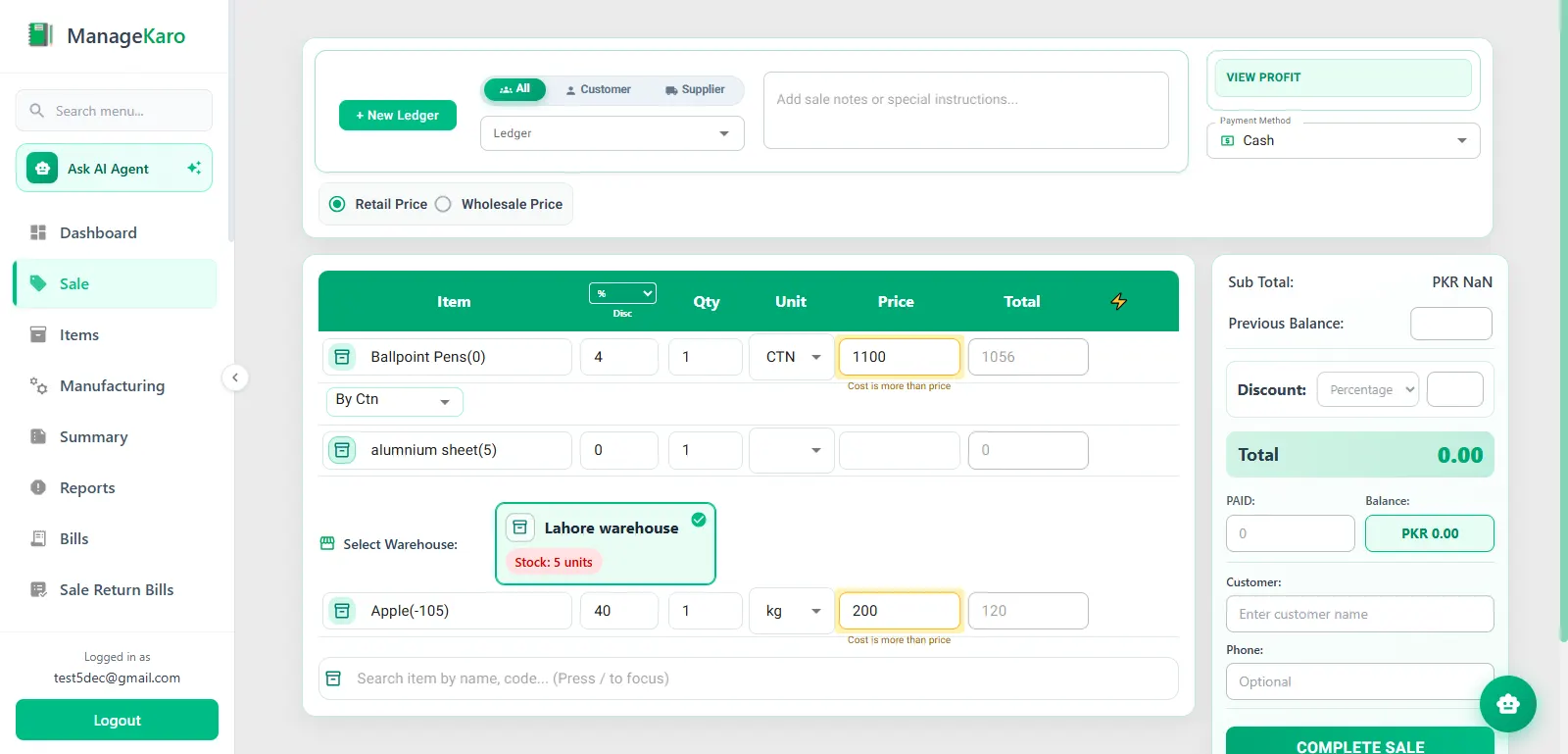
At the counter, medical billing POS software replaces the calculator. The cashier searches for a medicine by name or scans the pack's barcode, enters the quantity, and the system works out the total. A discount, where you allow one, is applied to the bill. The payment is recorded as cash, card, or another supported method, and an invoice is generated and stored.
The stored record matters more than it seems. When a customer comes back the next day asking what a medicine cost or which product was billed, you can find the sale instead of paging through a bill book. At closing, the day's sales are already totaled rather than added up by hand.
Barcode billing depends on your products and hardware. It works best when packs carry barcodes and you have a compatible scanner, so confirm the scanner model with the team before you buy one. Our guide to barcode billing at a retail counter explains the workflow.
Each completed bill also changes what is left on the shelf, so billing leads directly into stock.
Manage Medicine Inventory and Stock More Efficiently
Inventory carries more weight in a pharmacy than in most shops. A missing medicine is often an urgent need for the customer, and an overstocked one can expire unsold.
Start with the product record. Each medicine you stock gets an entry with its recorded quantity. Say you record 24 bottles of a cough syrup in the main store and three sell by afternoon. The record should now show 21. When billing and inventory are connected, that update happens through the sale itself, and the number is there when the next customer asks.
Location matters too. ManageKaro lets you organize stock by warehouse, rack, and sub-rack, so the system can mirror how the store is really laid out: cartons in the back room, fast movers on the counter shelf, a second store across town. When stock moves between locations, a transfer records it and the quantities at both places stay correct.
For reorder planning, the practical habit is a short daily or weekly review of items running low, before the counter runs out. Recorded quantities and stock information in your account give you that list from the system instead of from memory. Our guide to how sales and stock work together in a POS walks through the routine.
Quantities tell you how much you have. They do not tell you how long it will stay sellable, which is where batches and expiry dates come in.
Keep Better Track of Medicine Batches and Expiry Dates
Medicines arrive in batches, and each batch has its own expiry date. Two packs of the same tablet on the same shelf can be months apart in shelf life, and only one of them should be sold first.
Poor expiry control costs you twice. There is the direct loss of medicine written off, and there is the time spent checking shelves by hand because the records cannot be trusted.
ManageKaro organizes stock by warehouse, rack, and sub-rack, which gives staff a defined place to start when checking shelves. How batch numbers and expiry dates would be recorded for your medicines is worth seeing in a demo, because pharmacies differ in how much detail they need. Bring a few real products, including one with several batches, and ask the team to show you. Whatever system you use, a monthly shelf check for stock expiring within the next few months, plus a conversation with your suppliers about return terms on short-dated stock, protects you.
Stock reaches the shelf through purchasing, so supplier records are the next piece.
Organize Medicine Purchases and Supplier Records
Stock does not appear by itself. It comes from supplier deliveries, which makes purchase records the other half of inventory control. ManageKaro keeps purchase records alongside sales, and the financial module reports on both, so you can look back at what you bought and what it cost.
That helps in ordinary ways.
When three distributors quote different rates for the same antibiotic, you can check what you paid on the last order instead of relying on memory.
When a supplier's invoice and your delivery disagree, you have a record to compare.
When you decide how much cash to commit to the next order, you can see recent sales for the item.
WORTH SEEING IN A DEMO
Supplier details sit with these records, so a purchase can be traced to the party that supplied it. Two things are worth walking through in a demo with a typical delivery from one of your own suppliers: whether a recorded purchase adds to stock automatically, and how payments to the supplier are tracked.
Purchases, sales, and expenses together are what tell you whether the business is actually making money.
Monitor Pharmacy Sales, Expenses, and Business Performance
Once billing, stock, and purchases are recorded in one place, reports stop being a monthly chore. ManageKaro's financial management module tracks daily sales, expenses, profit and loss, and customer ledgers, and it provides reports on sales, purchases, and profit and loss.
Reports support a few concrete decisions:
whether margins hold up once expenses are counted,
which items sell steadily enough to deserve deeper stock,
and how this month compares with last.
They summarize what staff recorded, so they are only as accurate as the entries behind them. That is the strongest argument for billing every sale through the system.
These reviews matter even more when you run more than one location.
Manage Multiple Pharmacy Locations from One System
A second counter or a second shop multiplies the questions.
- Which location has the item?
- Did the transfer arrive?
- Whose sales were higher this week?
Answers that used to take a phone call should already be in the records.
ManageKaro supports multiple counters and branches. Inventory can be organized by warehouse and location, stock transfers between locations are recorded, and sales and financial records can be reviewed together, so you are not depending on end-of-day messages from each manager. If one branch runs short of a fast-moving item while another holds extra, you record the transfer and both locations' quantities stay current.
Why Choose ManageKaro for Your Pharmacy Business?
Medical POS software in Pakistan comes in two broad kinds: products built only around pharmacies, and general platforms that serve several industries. ManageKaro is the second kind, which suits some pharmacies better than others.
A good fit
It suits owners who want one system for billing, stock, purchases, and accounts and would rather not pay for separate tools for each.
When everything lives in one place, a sale, a stock change, and a report all trace back to the same entry, which helps when staff change shifts and nobody remembers what the last person did.
Sales, expenses, profit and loss, and customer balances sit on the same platform as billing, so you do not have to rebuild the day from several notebooks.
It is built for Pakistani businesses, its pricing is published, and the trial needs no credit card.
The paid plans list priority customer support.
CHECK FIRST
It may suit you less if your pharmacy depends on specialized workflows such as detailed prescription records. If that applies, ask the team to show those workflows with your own examples. The free trial is the safest way to find out.
Explore Pharmacy POS Software Pricing and Free Trial
ManageKaro offers a 3-day free trial. According to the pricing page, no credit card is required, and the trial gives access to the platform's features, including POS and billing, inventory management, and financial management. It is a trial, not a free plan, and it ends after three days. After that you can choose an annual plan or lifetime access, both described with current prices on the pricing page. ManageKaro does not publish separate pharmacy pricing.
Three days is short, so plan it.
Add twenty or so of your actual medicines, including a few sold by the strip or the box.
Bill a handful of sales the way your cashier would, check that stock quantities moved, and open the day's sales and expense reports.
If you run two locations, try a stock transfer. By the end you will know whether the workflow fits.
Customer stories
What Our Users Are Saying!

Treet Corporation
Kot Lakhpat, Lahore
“With a large workforce at Kot Lakhpat, salaries, advances and leave records used to take our team days every month. Since moving to ManageKaro’s HR module, attendance and payroll run smoothly and payslips go out on time without endless Excel sheets. The Financial Management side has been just as useful: expenses, ledgers and cash flow sit in one place, and P&L reports are ready whenever management asks. Month-end is honestly far less stressful now. A solid Pakistani product that delivers.”
Modules usedFinancial ManagementHR Management

Zohan Traders
Rasool Pur, Faisalabad
“Pehle sab kuch register mein likha hota tha aur stock ka kabhi pata nahi chalta tha. ManageKaro’s POS changed that for us. Barcode scan karo, bill ready, and the customer gets it on WhatsApp too. Low-stock alerts mean we reorder before items run out, so no customer goes back empty-handed. Even when the internet goes off in Rasool Pur, the counter keeps working without any issue. For a trader like us, the price is very reasonable. Faisalabad ke dukandaron ko zaroor try karna chahiye.”
Modules usedPOS & Inventory Management

Yasin Auto & Spare Parts
Main Kacha Ravi Rd, Karim Park, Lahore
“In spare parts, keeping track of thousands of small items is the hardest job. ManageKaro’s rack and sub-rack system fixed that; my staff now finds any part in seconds instead of searching the whole godown. We also launched our own online store, and mechanics from other areas order directly from there. Delivery challans and dispatch status are all tracked, so no more ‘parcel kahan hai’ calls. Our business on Kacha Ravi Road has really grown. Shukriya, ManageKaro team!”
Modules usedInventory ManagementOnline StoreDelivery Management

Ashraf Son’s International
Hall Rd, Garhi Shahu, Lahore
“Hall Road pe din bhar rush hota hai, and in electronics every item has its own model and price. ManageKaro’s POS keeps the counter moving: scan, bill, done, whether the customer pays cash, card or bank transfer. Stock across our shop and godown stays updated, and transfers are easy to record. I can check daily sales from my phone even when I’m away from the shop. Simple software, honest pricing, and their WhatsApp support always responds quickly. Bohat acha experience raha hai.”
— Owner, Ashraf Son’s International
Modules usedPOS & Inventory Management

Al-Harmain Sanitary Store
Madina Town, Bahawalpur
“Sanitary ke kaam mein pipes, fittings aur taps sab alag sizes mein hotay hain, and managing that stock was a real headache. ManageKaro sorted it out. Every item is in the system, low-stock alerts warn us early, and counter billing is quick. For contractors and home orders, delivery challans are made in a minute and we track every dispatch until it reaches the site. Bahawalpur mein itna acha system milna mushkil hai. Our hisaab kitaab is finally clean now, Alhamdulillah.”
Modules usedPOS & Inventory ManagementDelivery Management

Madina Super Store
Umer Khan Rd, Manawan, Lahore
“A super store has hundreds of items and customers all day, so speed at the counter really matters. ManageKaro’s POS with barcode scanning has made checkout quick, and stock updates automatically with every sale. The Financial Management side is my favourite: daily book, expenses, supplier ledgers and udhaar balances all in one place. At the end of the day I know exactly what came in and what went out. Manawan ke dukandaron ko zaroor recommend karunga. Great value for money.”
Modules usedPOS & Inventory ManagementFinancial Management
Nawab Machinery Store
Machinery Retailer · Rawalpindi, Pakistan
“ManageKaro has made it easier for us to manage our daily business activities. Its POS and billing, inventory management, and financial management features help us keep our sales and inventory records better organized. Having these essential business functions available in one platform makes our everyday operations more convenient. We particularly appreciate how ManageKaro helps simplify billing and maintain organized business records. It has been a useful solution for managing our machinery business more efficiently.”
Modules usedPOS and BillingInventory ManagementFinancial Management

Super Machinery Store
Machinery Retailer · Rawalpindi, Pakistan
“ManageKaro has helped us bring important parts of our business management together. We use its POS and billing, inventory management, and financial management features to handle our daily operations. The system has given us better control over product sales and stock while helping us keep our business activities more organized. Having billing, inventory, and financial management connected in one platform makes it easier to manage our day-to-day work. ManageKaro has been a helpful addition to the way we manage our machinery store.”
Modules usedPOS and BillingInventory ManagementFinancial Management
FAQ
Frequently Asked Questions
It is software that handles billing at a pharmacy counter: searching medicines, calculating totals, recording payments, and producing invoices. Better systems also connect each sale to stock records and reports, so the counter and the inventory stay consistent.
Pharmacy POS software focuses on the sale. Medical store software is the broader term, usually covering billing along with inventory, purchasing, and accounts. Vendors often use the two interchangeably, so compare the features, not the label.
Yes, when the POS is connected to an inventory module. In ManageKaro, sales update recorded stock, and inventory can be organized by warehouse, rack, and sub-rack, with transfers between locations. For medicine-specific details such as batch numbers, ask for a demo with your own products.
ManageKaro organizes stock by product and location, which supports regular shelf checks. How expiry dates would be recorded and reviewed for your medicines should be confirmed with the team before you rely on it. A demo or the free trial is the quickest way to see it with your own products.
Yes. ManageKaro supports multiple counters and branches, with stock organized by location and transfers recorded between them. Because setups differ, tell the team how many branches you run and who needs access to what.
Yes. Several vendors serve Pakistani pharmacies, from pharmacy-only products to general business platforms like ManageKaro. Compare billing, stock handling, support, and pricing, and test with your own medicines before choosing.
ManageKaro is not free software. It offers a 3-day free trial with no credit card required, after which you pay for an annual plan or lifetime access. If you consider any free medical POS software, check what the free tier includes, how long it stays free, and whether support and your data are covered.
Cost varies with features, users, and locations, and hardware such as a computer, receipt printer, and barcode scanner is a separate expense. ManageKaro's current trial, annual plan, and lifetime access are listed on the pricing page.
Yes. Purchase records and supplier details can be kept alongside sales, and the financial module reports on purchases. Ask the team to walk through a typical supplier delivery, including how payments to the supplier are recorded.
Take Better Control of Your Pharmacy Business with ManageKaro
A pharmacy runs on small, repeated tasks: billing a customer, checking a shelf, ordering a carton, counting the day. When each task lives in a different notebook, the gaps between them are where money and time disappear. ManageKaro puts billing, stock, purchases, and financial records in one system, so a sale entered at the counter is reflected in everything that depends on it.
You do not have to decide from a web page. Open the free trial, load a few of your own medicines, bill some sales, and look at the reports at the end of the day. If you would rather talk through your setup first, such as several branches or strip-level billing, the team can walk you through it.