Business Management Software for Different Industries in Pakistan
Every business has its own way of working. A retail shop needs fast billing and accurate stock records. A wholesaler needs visibility into products, customer balances, and deliveries. A growing business with multiple branches needs a clearer view of sales, inventory, and daily operations.
ManageKaro brings essential business operations together in one platform, helping Pakistani retailers, wholesalers, distributors, manufacturers, and other businesses manage sales, inventory, finances, employees, and deliveries through connected modules.
Explore business solutions by industry, see how different modules fit your workflow, and find the right setup for your business.
Find the Right Business Software for Your Industry
Your business should not have to work around software that does not fit its daily operations. Explore how ManageKaro's available features can support different business types, from a single retail counter to operations involving multiple stock locations.
 Retail
 Stores
Manage daily sales, product inventory, billing, and business records without relying on disconnected spreadsheets.
- Process sales and create invoices.
- Track product stock and stock movement.
- Review sales and financial records.
Explore POS Software, Inventory Management, and Financial Management.
Explore Retail Solutions Wholesale & Distribution
Wholesale Businesses
Keep bulk sales, product information, customer transactions, and stock records organized as your business grows.
- Monitor inventory across supported warehouses.
- Record sales and customer transactions.
- Organize dispatch information and financial records.
Explore Inventory Management, POS Software, and Delivery Management.
Find Your Wholesale Setup Wholesale & Distribution
Distribution Businesses
Manage the operational records behind stock movement, customer orders, and goods dispatched to different destinations.
- Keep inventory organized across locations.
- Create delivery challans and record dispatch details.
- Review related financial information.
Explore Inventory Management, Delivery Management, and Financial Management.
Explore Distribution Solutions Manufacturing
 Businesses
Keep product inventory, warehouse records, sales, and financial information organized in one connected business system.
- Monitor stock across supported locations.
- Record product sales and related transactions.
- Maintain visibility into business finances.
Explore Inventory Management, Financial Management, and Delivery Management.
ManageKaro's industry offering is focused on practical business operations. If your manufacturing process requires production planning, bills of materials, or specialized factory-floor controls, confirm those requirements with the team before choosing a solution.
Discuss Your Manufacturing Requirements Retail
Grocery Stores and Supermarkets
Frequent transactions and a wide range of products can make stock management difficult when billing and inventory records are maintained separately.
- Process customer sales through POS.
- Keep product inventory connected with sales.
- Review daily transactions and financial records.
Explore POS Software, Inventory Management, and Financial Management.
Explore Grocery Store Solutions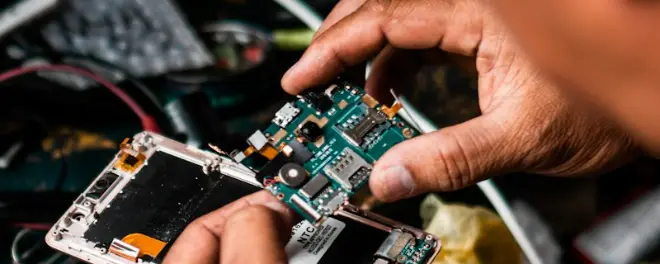 Retail
Mobile and Electronics Shops
Manage product sales and inventory for a shop that may handle devices, accessories, and a varied product catalogue.
- Organize products and available stock.
- Record sales and customer transactions.
- Review financial records and business activity.
Explore Inventory Management, POS Software, and the Online Store Module.
Explore the Online Store Module if you also want to sell products online.
Explore Mobile Shop Solutions Healthcare
Pharmacies
Pharmacies need organized product records, dependable billing, and visibility into stock availability.
- Maintain product and inventory records.
- Record sales and payments.
- Review financial information.
Explore Inventory Management, POS Software, and Financial Management.
For pharmacy-specific requirements such as prescription handling, medicine expiry alerts, or regulatory reporting, confirm the relevant functionality with ManageKaro before relying on it.
Discuss Your Pharmacy's Requirements Services
Auto Parts Shops and Workshops
Businesses dealing with spare parts need a practical way to organize products, record sales, and keep stock information accessible.
- Organize parts across supported stock locations.
- Record sales and related transactions.
- Monitor inventory and financial records.
Explore Inventory Management, POS Software, and Financial Management.
If you operate a repair workshop, confirm any specialized job-card, technician assignment, or warranty-management requirements before choosing your setup.
Explore Parts-Based Business Solutions Retail
Tailoring and Apparel Businesses
From fabric and product stock to customer transactions, apparel businesses need organized records for their everyday operations.
- Maintain product and stock information.
- Record sales, payments, and customer transactions.
- Explore online selling through a connected storefront.
Explore Inventory Management, POS Software, and the Online Store Module.
Explore Apparel Business Solutions Food & Beverage
Restaurants and Food Businesses
Food businesses need clear records of sales, expenses, inventory, and staff operations.
- Record sales and financial transactions.
- Organize supported product and stock records.
- Manage employee information through the HR module.
Explore Financial Management, Inventory Management, and HR Management.
Table reservations, kitchen display systems, recipe costing, and specialized restaurant order management may require separate functionality. Confirm your operational needs before proceeding.
Discuss Your Restaurant's Requirements Retail
Hardware and Building Materials Stores
Hardware and building materials businesses often maintain a varied product catalogue and need visibility into stock across their storage locations.
- Organize products and inventory.
- Record sales and payments.
- Monitor financial information and customer transactions.
Explore Inventory Management, POS Software, and Financial Management.
Explore Hardware Store Solutions Services
Service Businesses
Service providers need organized customer transactions, employee information, and financial records alongside the operational tools relevant to their work.
- Record payments and financial activity.
- Manage employee records through the HR module.
- Access supported business information through mobile apps.
Explore Financial Management, HR Management, and Mobile Apps.
The right configuration depends on whether your business primarily sells products, provides services, or combines both.
Discuss Your Business WorkflowMulti-BranchMulti-Branch Businesses
Managing more than one shop, office, or stock location creates additional responsibilities for owners and managers.
- Maintain inventory across supported locations.
- Review sales and financial records.
- Organize employee information and access.
Explore Inventory Management, POS Software, Financial Management, and HR Management.
Explore Multi-Branch SolutionsExplore ManageKaro's Business Management Features
Different industries need different combinations of business tools. ManageKaro brings key operational modules together so you can explore the capabilities relevant to your business without treating every function as a separate system.
Inventory Management
Organize products, monitor stock, manage supported warehouses and racks, and record stock transfers between locations. Inventory also works with POS activity so sales can update related stock records.
Best suited to: Retailers, wholesalers, distributors, manufacturers, and product-based businesses.
Explore Inventory Management SoftwarePoint of Sale (POS)
Process sales, create invoices, record payments, and keep sales activity connected with inventory and other business records.
Best suited to: Retail stores, grocery businesses, cash-and-carry stores, and other businesses selling products directly.
Explore POS SoftwareFinancial Management
Keep track of business income, expenses, customer ledgers, outstanding balances, and available financial reports.
Best suited to: Retailers, wholesalers, distributors, manufacturers, and businesses that need better visibility into their financial activity.
Explore Financial Management SoftwareOnline Store
Create an online storefront for your products and extend your selling options beyond your physical business location.
Best suited to: Retailers and product-based businesses that want to sell online alongside their existing operations.
Explore the Online Store ModuleMobile Apps
Access supported business functions and information through mobile devices, helping owners and managers stay connected with their operations.
Best suited to: Business owners, managers, and teams that need access beyond a single workstation.
Explore Mobile AppsDelivery Management
Create delivery challans, organize dispatch information, and maintain digital delivery records.
Best suited to: Wholesalers, distributors, retailers, and businesses that deliver products to customers or other locations.
Explore Delivery ManagementHR Management
Organize employee records and supported HR activities, including attendance and payroll-related tasks.
Best suited to: Retail chains, distribution businesses, workshops, and growing teams.
Explore HR Management SoftwareSee How Connected Business Workflows Work
Software becomes more useful when the information entered during one activity can support other parts of the business. Here are three practical examples of how connected workflows can help Pakistani businesses keep their records organized.
Demonstration 1: A Retail Sale Updates Inventory
Imagine a general store in Rawalpindi selling three products during a transaction.
How the workflow works:
- The salesperson selects the products in ManageKaro POS.
- The system records the sale and payment.
- The related inventory quantities are updated.
- The transaction remains available in the business records for review.
The practical benefit is less repeated data entry between billing and stock records. Explore POS Software and Inventory Management.
Demonstration 2: A Distributor Records a Delivery
Imagine a distributor preparing an order for a retailer in Lahore.
By keeping inventory and delivery records organized, a distributor can make it easier for the team to find information about stock and dispatch activity. Explore Inventory Management, Delivery Management, and Financial Management.
Demonstration 3: Review Daily Business Activity
Consider a retailer who wants to understand the day's sales and expenses before closing the shop.
A connected business system can help the owner review:
- Sales recorded during the day.
- Payments and related transactions.
- Recorded expenses and income.
- Customer balances and outstanding amounts.
- Available financial reports.
Instead of rebuilding the day's activity from separate notebooks and spreadsheets, the owner can review the relevant records maintained in ManageKaro. Explore Financial Management and POS Software.
These examples demonstrate intended workflows. The figures are illustrative, and the exact screens and processes depend on the product configuration and available features.
Designed Around the Realities of Pakistani Businesses
Managing a business in Pakistan can involve a combination of shop-counter sales, wholesale transactions, godown stock, branch transfers, customer balances, and delivery documentation. ManageKaro brings relevant business functions together to help teams organize these activities through one platform.
Keep Stock Organized Across Locations
For businesses working with multiple shops, warehouses, or godowns, inventory visibility matters. ManageKaro supports inventory organization across locations, rack and sub-rack organization, and stock transfers between supported locations.
Explore Inventory ManagementKeep Sales and Stock Records Connected
When products are sold through ManageKaro POS, the related inventory information can be updated as part of the connected workflow. This reduces the need to record the same transaction separately in different systems.
Explore POS SoftwareUnderstand Your Financial Activity
Business owners need to review more than sales totals. ManageKaro's financial module supports visibility into expenses, income, ledgers, outstanding balances, and available financial reports.
Explore Financial ManagementOrganize Deliveries and Dispatch Records
Businesses that move products between locations or deliver goods to customers need clear documentation. ManageKaro supports delivery challans and dispatch records through its delivery module.
Explore Delivery ManagementStay Connected With Your Business
ManageKaro provides mobile access to supported business information, allowing owners and managers to work with relevant records beyond a single desktop workstation.
Explore Mobile AppsManage Employee Information
As a business grows, employee information and HR processes also need attention. ManageKaro's HR module supports employee records and relevant attendance and payroll activities.
Explore HR ManagementWhich ManageKaro Modules Does Your Business Need?
Not every business needs every module on day one. The right combination depends on your products, sales process, stock locations, staff, and delivery requirements.
These combinations are starting points, not mandatory packages. The appropriate setup depends on your business requirements and the features included in your chosen plan. Explore all seven modules above, or contact ManageKaro to discuss your workflow.
How ManageKaro Setup Works
Choosing business software is only part of the process. You also need to understand how it can be configured for your day-to-day operations.
Tell Us How Your Business Works
Explain what you sell, how you record transactions, how your stock is organized, and whether you operate from one location or several.
Identify the Relevant Modules
Discuss which available modules fit your requirements, from POS and inventory to financial management, HR, online selling, and delivery.
Configure Your Business and Get Started
Set up the relevant business information, users, products, and supported operational settings. Ask the team about the onboarding and training assistance available for your chosen plan.
Is ManageKaro Free Software?
ManageKaro offers a 3-day free trial, allowing prospective customers to explore the software before committing to a paid plan. It should not be described as permanently free software.
A free trial and a free-forever plan are different:
- Free trial: Temporary access to evaluate the product before choosing a paid option.
- Free-forever plan: Ongoing use without a subscription payment, subject to any plan limits.
ManageKaro's 3-Day Free Trial
ManageKaro's advertised 3-day trial is the relevant option for businesses that want to try the platform first. Review the current ManageKaro pricing for available plans, pricing, and trial conditions before signing up.
Frequently Asked Questions About Business Software by Industry
ManageKaro is positioned for Pakistani retailers, wholesalers, distributors, manufacturers, and other growing businesses. Its suitability for a particular industry depends on the operational features your business needs.
Retailers often start with POS, inventory, and financial management. Wholesalers and distributors may also need delivery management, while businesses selling online may benefit from the online store module. Your requirements determine the most appropriate combination.
ManageKaro supports multi-location business operations and inventory management across supported locations. Confirm the specific branch, user-access, and reporting requirements for your business before selecting a plan.
ManageKaro provides several connected modules, including inventory, POS, financial management, online store, mobile apps, delivery, and HR. Check the current pricing and plan details to confirm which capabilities are included in your selected plan.
ManageKaro connects POS with inventory and other business records. This helps businesses reduce duplicate entry and review sales alongside related operational and financial information.
ManageKaro advertises a 3-day free trial rather than a permanent free-forever plan. Check the pricing for the latest trial conditions and paid options.
You can explore the available product information, review the pricing page, and contact the team to discuss a demo. This is a practical way to assess whether the platform fits your industry's workflow.
Find the Right Setup for Your Business
Whether you run a retail shop, manage a wholesale operation, distribute products across locations, or oversee a growing business with multiple branches, the right software should fit the way your team works. ManageKaro connects relevant business functions through inventory, POS, financial management, online store, mobile apps, delivery, and HR modules. Explore the available features, review the pricing, and discuss your requirements before choosing a setup.