Restaurant Inventory Management Software for Pakistani Restaurants

A restaurant can sell well and still lose track of what is in the storeroom. Stock is counted in a notebook, sales sit in a billing system, and a second branch keeps its own records. By the time someone spots a gap, the numbers are weeks old.

ManageKaro is restaurant inventory management software that keeps stock records, storage locations, and POS sales in one system. You can track quantities across warehouses, organize storage down to the rack, transfer stock between locations, and have stock update when a sale goes through ManageKaro's POS. This page explains what that covers, what it does not, and what it costs, so you can judge whether it fits your restaurant.

View Features
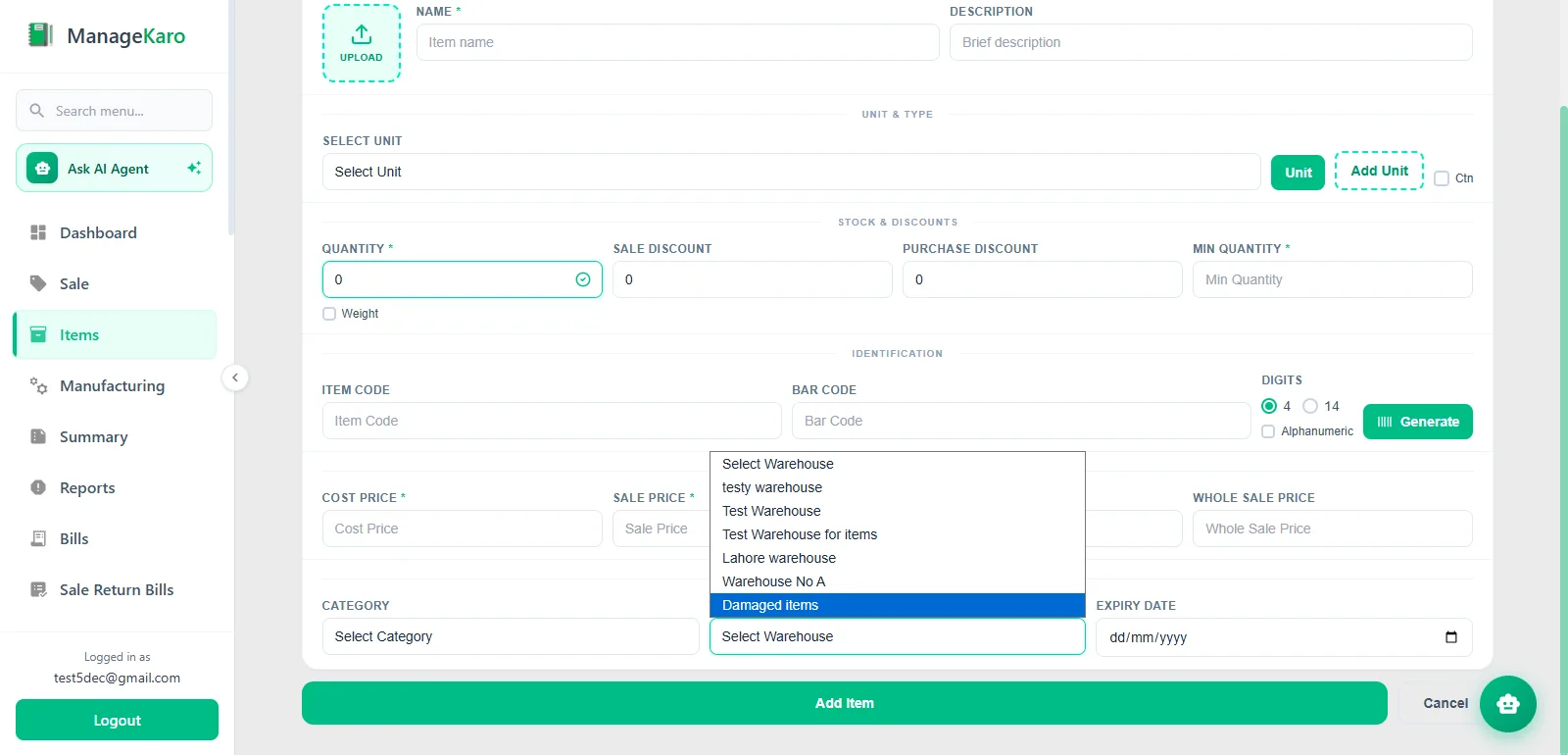
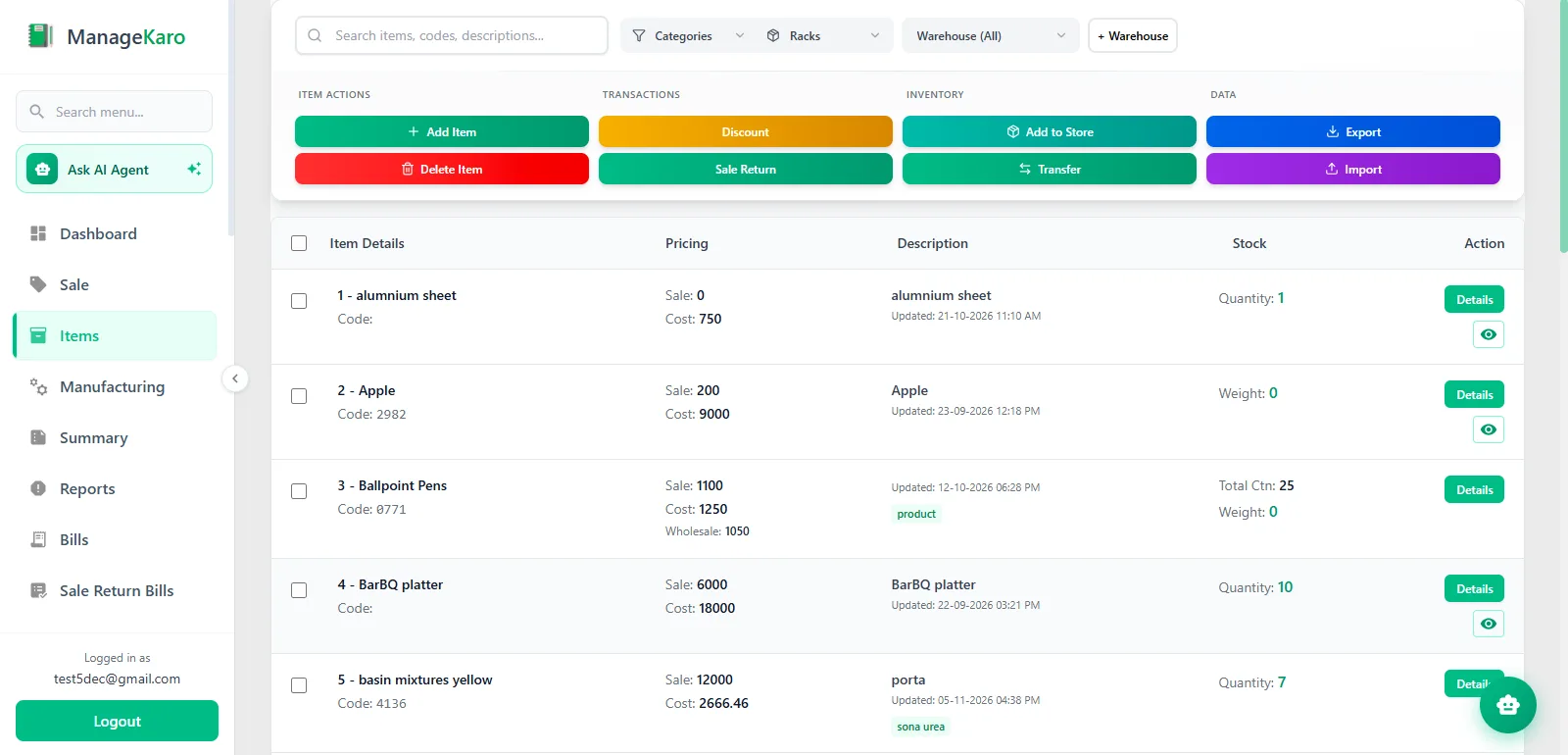
ManageKaro inventory screen for adding restaurant products to the catalog

Manage Restaurant Inventory Without Disconnected Stock Records

Most restaurant stock problems start small. The shelf says one thing, the notebook says another, and the billing system says a third. Over time the same patterns repeat:

  • Quantities nobody can confirm without a physical count.

  • Storage with no fixed places, so staff search for items or buy duplicates.

  • Branches that each keep their own records, which the owner sees late.

  • Spreadsheets updated by hand whenever someone has time.

  • Differences between expected and actual stock that only surface at month end.

None of this needs complicated software to fix. It needs one place where products, quantities, storage locations, and sales are recorded together. That is what ManageKaro's inventory management software does, and the next section shows which parts of the problem it covers.

Restaurant Inventory Management Features

The features below are the ones ManageKaro's inventory module offers today. They are ordered the way a restaurant usually grows: first knowing what you have, then where it is, then how it moves.

Restaurant Stock Tracking

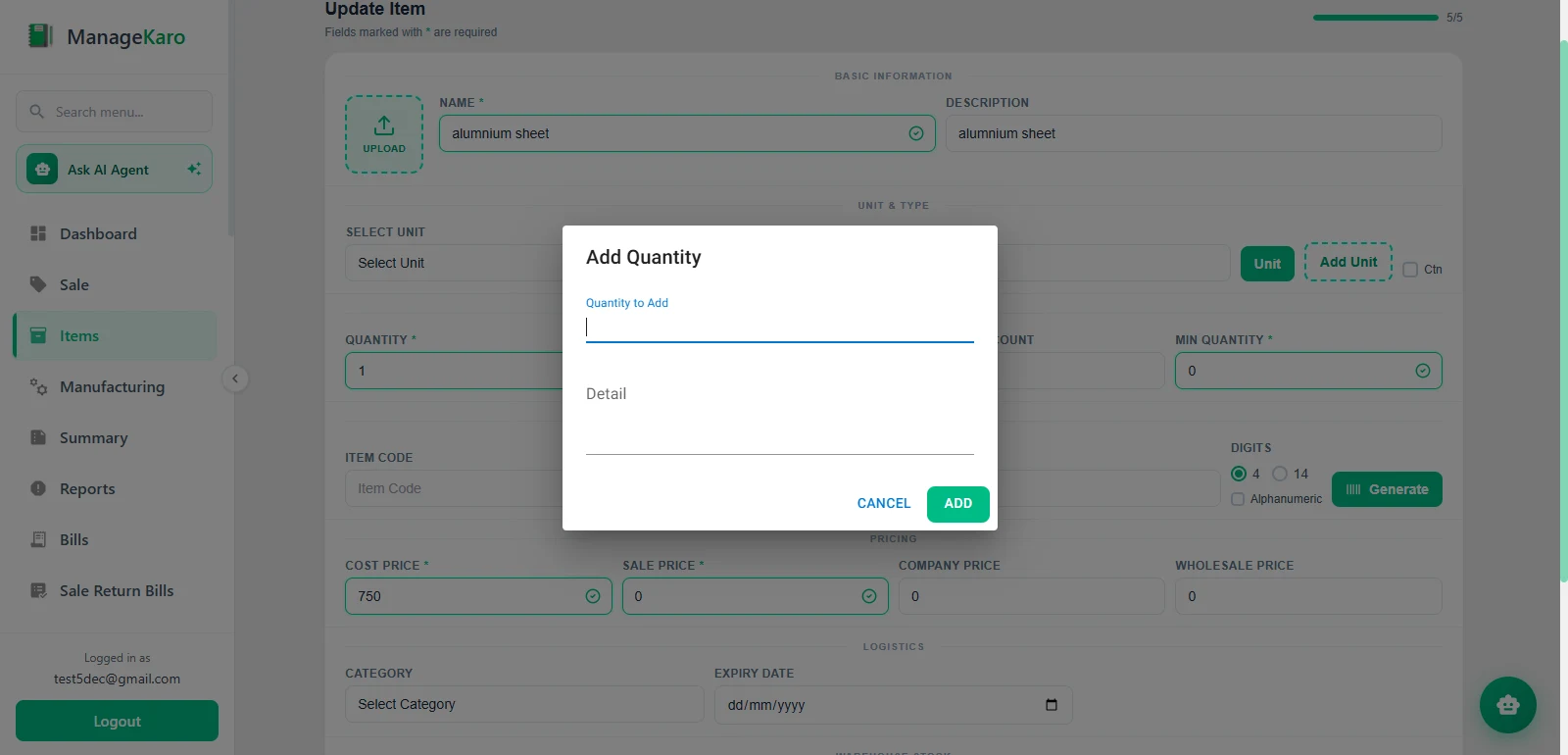
Every product sits in a structured catalog with its current quantity. Owners and staff check what is on hand from the system instead of from memory or a notebook.

Accurate numbers matter because every other decision depends on them: what to order, what to move between branches, and whether a shortage is real. In ManageKaro, quantities change as stock is transferred and as sales are processed through the POS, so the record stays close to reality between counts. It does not replace counting. Regular physical counts against the system are still the best way to catch errors.
Inventory Management Across Multiple Locations

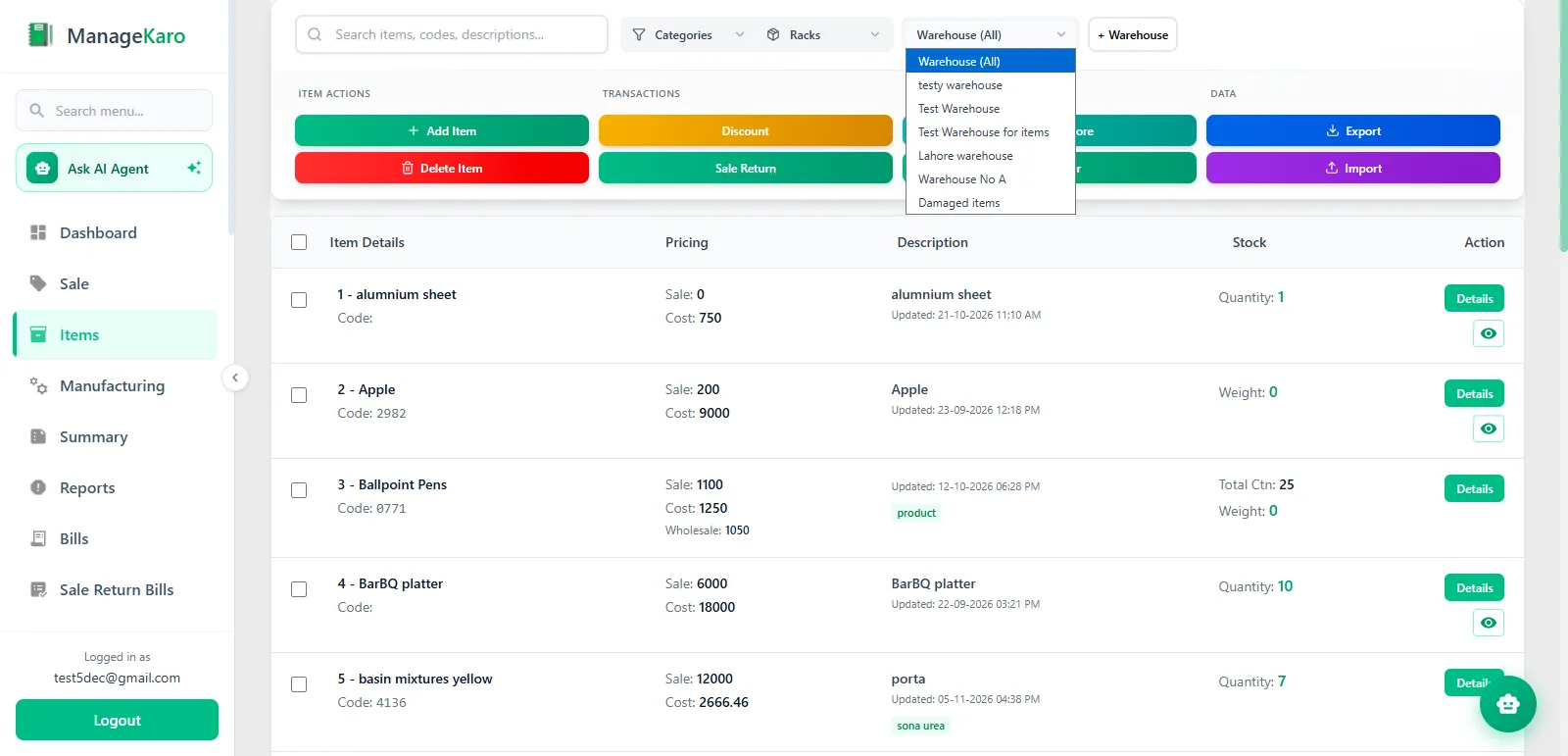
ManageKaro lets you create multiple warehouses and organize inventory by location, so you can see what is available at each one without checking separate records.

Consider a restaurant group with a central store and two outlets. The central store receives bulk beverages, packaging, and dry goods. Each outlet holds a smaller working stock. With a warehouse set up for each, the owner sees what the central store holds and what each outlet has, instead of phoning every manager.

Stock Transfers Between Restaurant Locations

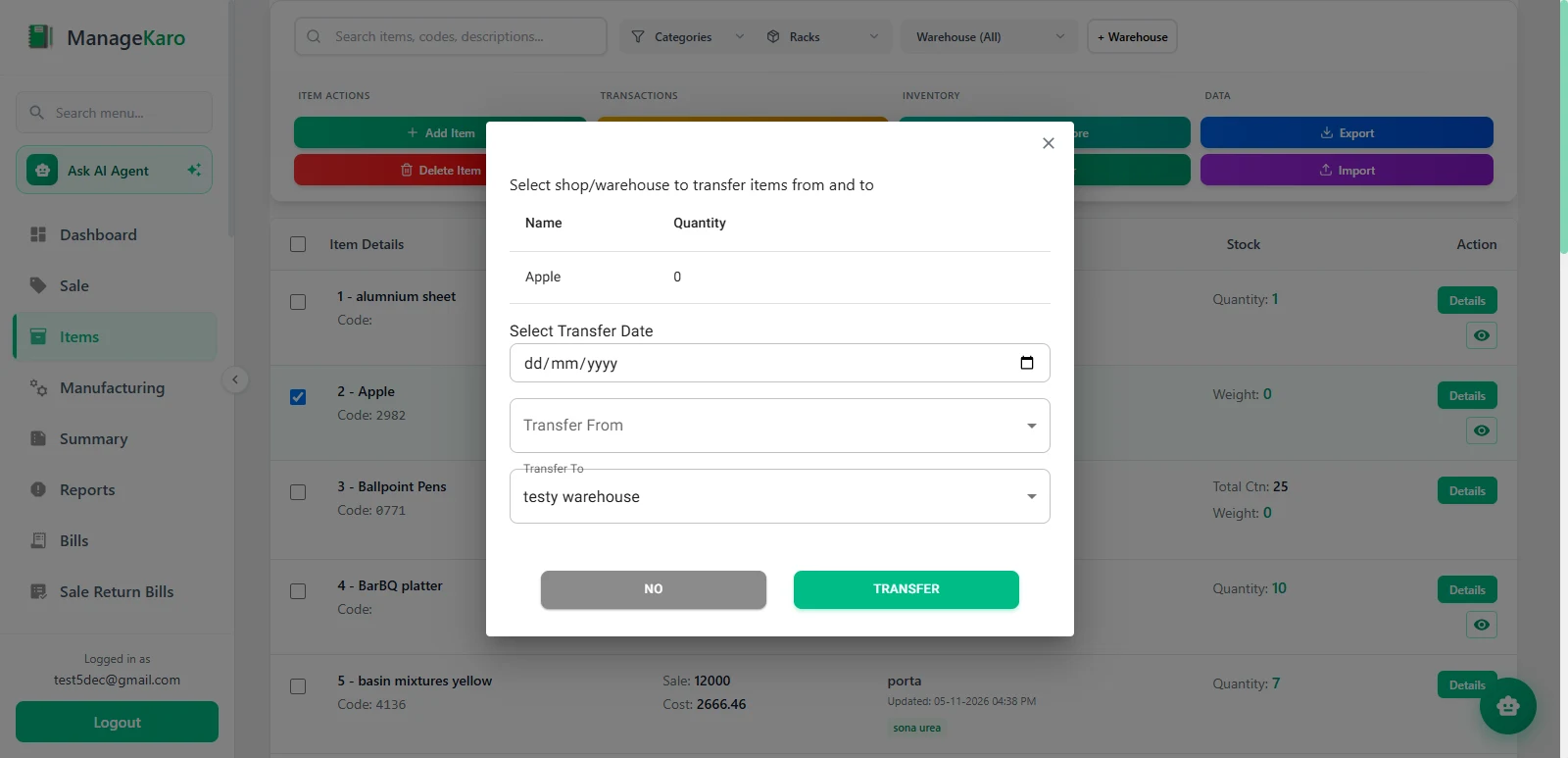
When the central store sends cartons of cooking oil or cups to an outlet, that movement is recorded as a transfer between warehouses. The quantity moves from one warehouse record to the other, and there is a record of where the stock went.

This is a smaller feature than it sounds, and it is useful for that reason. Most disputes between branches come from stock that moved without anyone writing it down.

POS-Connected Inventory Management

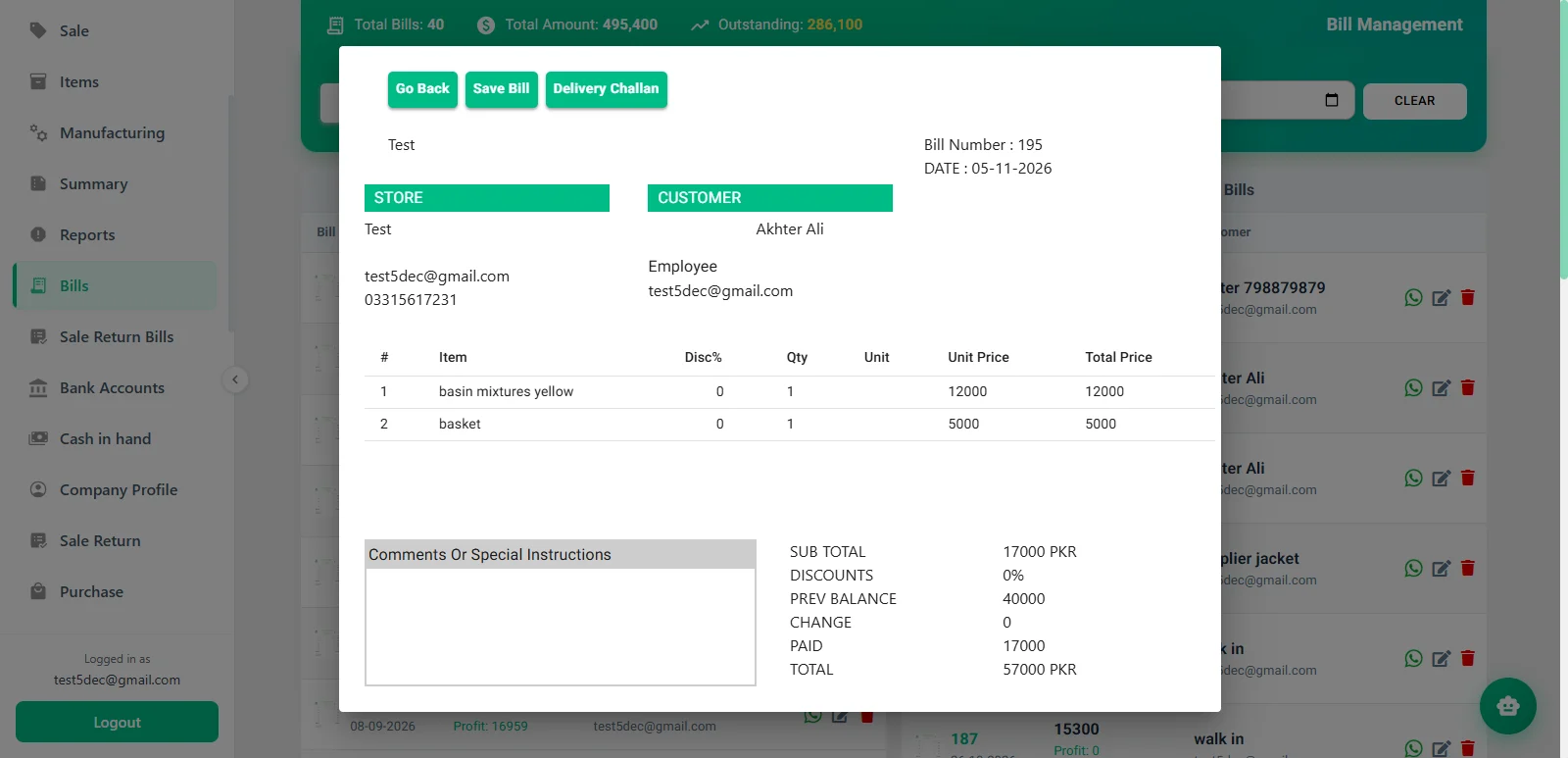
When a sale is processed through ManageKaro's restaurant POS software, the related stock is updated automatically. For items sold as they are, such as bottled drinks, packaged snacks, or bakery items, the count drops by what was sold without a second entry.

One distinction matters for restaurants. Updating stock when a product is sold is different from deducting ingredients when a dish is sold, such as flour and cheese when a pizza is rung up. This page does not describe recipe-based ingredient deduction. If you need it, ask the ManageKaro team to show how your own menu would be handled before you commit. If your main need is controlling stock that is bought and sold as items, along with storeroom supplies, product-level tracking is a simpler fit.

Organized Storage and Warehouse Management

Storage inside each warehouse can be organized with racks and sub-racks. In a restaurant, that might be a dry store with one rack for oils and flour, another for packaging, and sub-racks by item type.

The practical gain is that a new employee can find an item from the record instead of asking the person who happens to know where everything lives.

ManageKaro warehouse with rack and sub-rack assignments for restaurant storage

How Restaurant Inventory Management Works with ManageKaro

The features above fit together as a sequence. Here is how a restaurant would typically use them:

Organize inventory records. Add products to the catalog so every item has one entry.

ManageKaro inventory: add products to the catalog so every item has one entry

Benefits of Using Restaurant Inventory Management Software

Software will not fix a restaurant's purchasing or portioning habits on its own. What it does is make the facts easier to see, and several practical benefits follow from that.

Stock records become easier to trust, because they live in one place instead of in several notebooks. Storage becomes more orderly, since every item has an assigned location. Sales and stock stay in step, so staff do not enter the same sale twice. Moving stock between branches leaves a record. Owners with more than one location get a clearer view without visiting each one.

Restaurant Inventory Management for Different Business Types

The right setup depends on what you sell and how many places hold stock. Four common situations follow.

Small Restaurants

A single restaurant usually needs two things: current stock records and a way to avoid counting sales twice. Start with the products you buy most often, assign each one a location, and sell through the POS so quantities update. You can add structure later.

Cafes and Coffee Shops

A cafe typically handles several product groups: beans and milk, syrups, cups and lids, bakery items, and retail packs. Separate racks for each group make daily checks quicker. Items sold as they are, like packaged drinks and pastries, update through the POS. If you rely on tracking milk or beans used per drink, confirm that workflow with the team first.

Restaurants with Multiple Locations

Separate warehouses for the central store and each outlet show where stock sits, and transfers record movements between them. Branches that previously kept their own sheets work from the same system.

Growing Food Businesses

A catering operation or a new second branch often outgrows spreadsheets first. Moving records into a structured system early means the numbers are already organized when the business adds locations. Not every feature is needed on day one, and not every business needs all of them.

Why Choose ManageKaro for Restaurant Inventory Management?

The case for ManageKaro rests on a few concrete points:

  • Inventory and POS work in the same system, so a sale and its stock change are linked.

  • Warehouses, racks, and sub-racks give you a structure for storage instead of a flat list.

  • Multiple locations and transfers are part of the inventory module, not an add-on.

  • The rest of the business sits in the same platform. Sales, expenses, payments, and ledgers connect through the financial management software, and the platform also covers HR and delivery.

Restaurant Inventory Management Software Pricing in Pakistan

ManageKaro publishes two paid plans on its pricing page, and both include every feature, inventory and POS among them.

PlanApproximate price (USD)Billing
Free trialUSD 03 days, no credit card required
Annual Planabout USD 36per year
Lifetime Accessabout USD 89one-time payment

Exchange rates move, so check the pricing page for the current amount.

Software is not the only cost. A restaurant also needs a computer or tablet for the POS, a receipt printer if you print receipts, and a reliable internet connection. ManageKaro's published pricing does not itemize hardware or connectivity, so confirm those requirements with the team.

Free vs. Paid Restaurant Inventory Management Software

Searches for restaurant inventory management software free usually mean one of two things: a permanently free plan, or a trial. They are different.

A free plan has no end date, and it usually limits users, locations, or features. A free trial gives full or near-full access for a fixed period, after which you pay or stop. ManageKaro offers a trial: three days, with access to all features and no credit card required. It does not have a permanent free plan.

Before you rely on any free tool, check four things: whether it supports more than one location, whether it connects to sales, whether your records can be exported, and what happens when the free limits run out. A spreadsheet is also free, and it breaks down once stock moves between locations. Three days is short, so decide beforehand what you will test: add your real products, set up one warehouse, process a few sales, and record one transfer.

Customer stories

What Our Users Are Saying!

Treet Corporation
Treet Corporation
Kot Lakhpat, Lahore

“With a large workforce at Kot Lakhpat, salaries, advances and leave records used to take our team days every month. Since moving to ManageKaro’s HR module, attendance and payroll run smoothly and payslips go out on time without endless Excel sheets. The Financial Management side has been just as useful: expenses, ledgers and cash flow sit in one place, and P&L reports are ready whenever management asks. Month-end is honestly far less stressful now. A solid Pakistani product that delivers.”

Modules usedFinancial ManagementHR Management
Zohan Traders
Zohan Traders
Rasool Pur, Faisalabad

“Pehle sab kuch register mein likha hota tha aur stock ka kabhi pata nahi chalta tha. ManageKaro’s POS changed that for us. Barcode scan karo, bill ready, and the customer gets it on WhatsApp too. Low-stock alerts mean we reorder before items run out, so no customer goes back empty-handed. Even when the internet goes off in Rasool Pur, the counter keeps working without any issue. For a trader like us, the price is very reasonable. Faisalabad ke dukandaron ko zaroor try karna chahiye.”

Modules usedPOS & Inventory Management
Yasin Auto & Spare Parts
Main Kacha Ravi Rd, Karim Park, Lahore

“In spare parts, keeping track of thousands of small items is the hardest job. ManageKaro’s rack and sub-rack system fixed that; my staff now finds any part in seconds instead of searching the whole godown. We also launched our own online store, and mechanics from other areas order directly from there. Delivery challans and dispatch status are all tracked, so no more ‘parcel kahan hai’ calls. Our business on Kacha Ravi Road has really grown. Shukriya, ManageKaro team!”

Modules usedInventory ManagementOnline StoreDelivery Management
Ashraf Son’s International
Hall Rd, Garhi Shahu, Lahore

“Hall Road pe din bhar rush hota hai, and in electronics every item has its own model and price. ManageKaro’s POS keeps the counter moving: scan, bill, done, whether the customer pays cash, card or bank transfer. Stock across our shop and godown stays updated, and transfers are easy to record. I can check daily sales from my phone even when I’m away from the shop. Simple software, honest pricing, and their WhatsApp support always responds quickly. Bohat acha experience raha hai.”

— Owner, Ashraf Son’s International

Modules usedPOS & Inventory Management
Al-Harmain Sanitary Store
Madina Town, Bahawalpur

“Sanitary ke kaam mein pipes, fittings aur taps sab alag sizes mein hotay hain, and managing that stock was a real headache. ManageKaro sorted it out. Every item is in the system, low-stock alerts warn us early, and counter billing is quick. For contractors and home orders, delivery challans are made in a minute and we track every dispatch until it reaches the site. Bahawalpur mein itna acha system milna mushkil hai. Our hisaab kitaab is finally clean now, Alhamdulillah.”

Modules usedPOS & Inventory ManagementDelivery Management
Madina Super Store
Madina Super Store
Umer Khan Rd, Manawan, Lahore

“A super store has hundreds of items and customers all day, so speed at the counter really matters. ManageKaro’s POS with barcode scanning has made checkout quick, and stock updates automatically with every sale. The Financial Management side is my favourite: daily book, expenses, supplier ledgers and udhaar balances all in one place. At the end of the day I know exactly what came in and what went out. Manawan ke dukandaron ko zaroor recommend karunga. Great value for money.”

Modules usedPOS & Inventory ManagementFinancial Management
Nawab Machinery Store
Machinery Retailer · Rawalpindi, Pakistan

“ManageKaro has made it easier for us to manage our daily business activities. Its POS and billing, inventory management, and financial management features help us keep our sales and inventory records better organized. Having these essential business functions available in one platform makes our everyday operations more convenient. We particularly appreciate how ManageKaro helps simplify billing and maintain organized business records. It has been a useful solution for managing our machinery business more efficiently.”

Modules usedPOS and BillingInventory ManagementFinancial Management
Super Machinery Store
Machinery Retailer · Rawalpindi, Pakistan

“ManageKaro has helped us bring important parts of our business management together. We use its POS and billing, inventory management, and financial management features to handle our daily operations. The system has given us better control over product sales and stock while helping us keep our business activities more organized. Having billing, inventory, and financial management connected in one platform makes it easier to manage our day-to-day work. ManageKaro has been a helpful addition to the way we manage our machinery store.”

Modules usedPOS and BillingInventory ManagementFinancial Management
FAQ

Frequently Asked Questions About Restaurant Inventory Management Software

It is software that records what a restaurant has in stock, where it is stored, and how it changes as items are sold, moved, or adjusted. It replaces notebooks and spreadsheets with one shared record.

You list your products, enter quantities, and assign storage locations. As items are sold or transferred, the system updates the counts. You then compare the system with physical counts and investigate differences.

In practice, none. Vendors use the terms interchangeably. Some people use system for a broader setup that includes POS, purchasing, and reporting. Compare what each product actually does, not what it is called.

At minimum: accurate stock quantities, storage locations, support for more than one location, and a link to sales. Some restaurants also need recipe-based ingredient deduction, expiry tracking, or purchase orders. ManageKaro's inventory module covers stock tracking, warehouses, racks and sub-racks, transfers, and POS-connected updates. Confirm any additional need with the team before buying.

Yes, when the two are part of the same system. In ManageKaro, a sale processed through the POS updates the related stock automatically.

Some tools have free plans with limits. ManageKaro does not have a permanent free plan. It offers a 3-day free trial with access to all features.

Prices vary by vendor and billing model. ManageKaro lists an annual plan of about USD 36 per year and lifetime access for about USD 89 one time, as approximate USD equivalents. Check the pricing page for current figures.

Yes, if the software is simple enough for the team to use daily. A small restaurant can start with its most-used products and a single location, then add warehouses and transfers as it grows.

Some can. ManageKaro supports multiple warehouses and stock transfers between them, so each location's stock is recorded separately and movements between them are logged.

POS software handles orders, billing, and payments at the counter. Inventory software tracks what is in stock and where. Connected, the sale updates the stock record, which saves entering it twice.

Bring Your Restaurant Inventory and Sales Management Together

Explore Restaurant POS Software

Stock records and sales records describe the same business. When they live in separate places, someone has to reconcile them by hand, and the gaps show up at the worst time. ManageKaro is an option for restaurants that want inventory organized by location and tied to supported POS activity. Try it with your own products and see whether the workflow suits your team.